

What is the best small business phone system in 2026?
For most Australian small businesses, the best small business phone system in 2026 is a cloud-based VoIP system with business numbers, extensions, call routing and mobile access. It gives you professional phone features without the cost and maintenance of a traditional phone server.
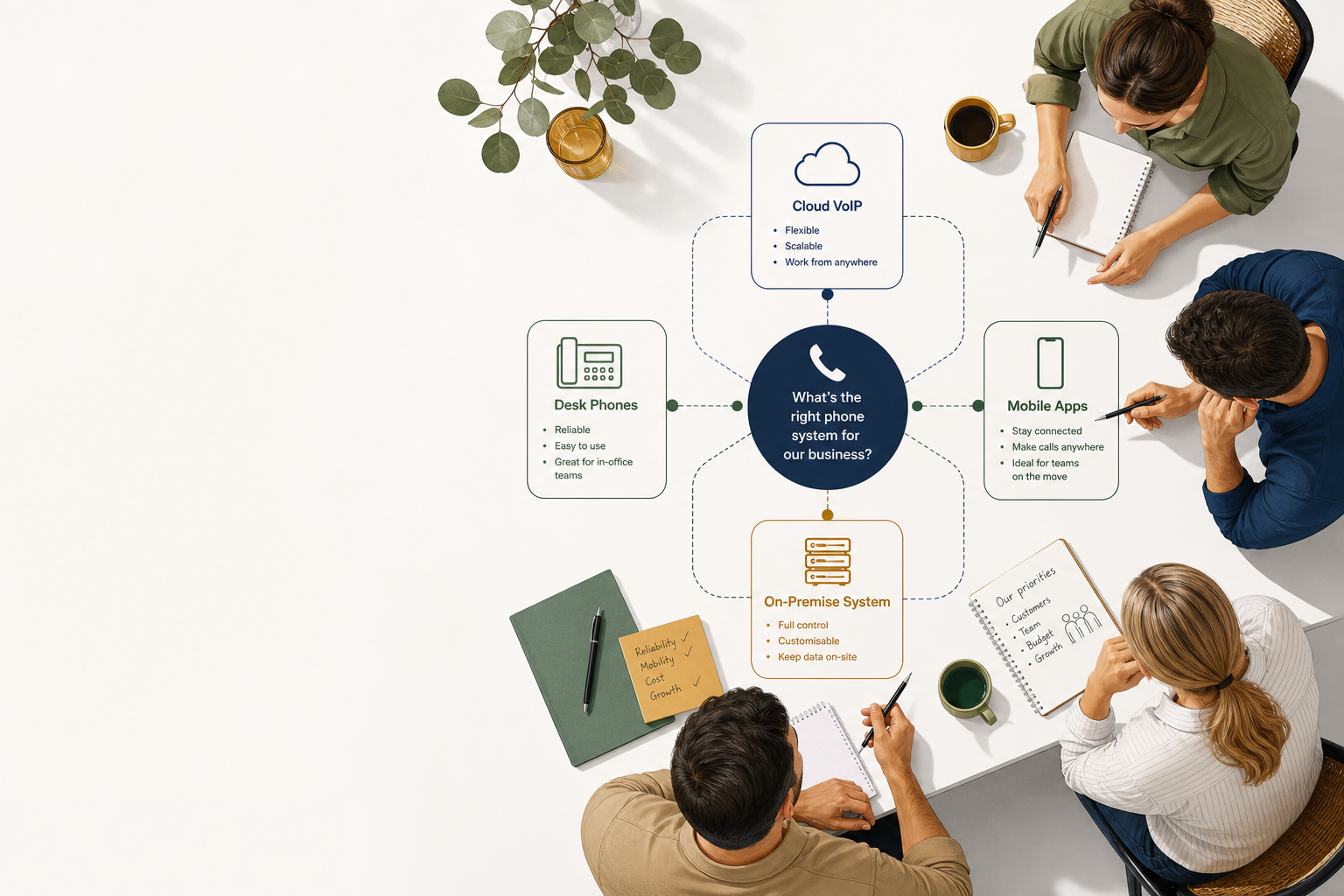
The right choice still depends on your team size, office setup and how much control you want. A solo operator may only need a virtual number and mobile app. A growing team may need desk phones, call queues and shared visibility. A larger or specialist business may need a hybrid or on-premise system.
This guide compares phone systems by system type and business size. It does not compare named providers. For that, see our guide to choosing a business phone system.
Which phone system is best for a small business?
A hosted cloud VoIP system is usually the best fit for a small business because the phone platform is managed off-site and can be used from desk phones, computers and mobiles. It is especially suitable for teams that are growing, working across locations or do not want to maintain phone hardware.
Cloud phone systems use your internet connection to carry calls. They can provide features such as auto-attendants, voicemail, call forwarding, ring groups, call recording and mobile apps. A cloud VoIP phone system can also make it easier to add or remove users as your business changes.
The best system is not necessarily the one with the longest feature list. It is the one that gives customers a clear way to reach your team, keeps calls working during everyday disruptions and is simple for staff to use.
Australian businesses should treat reliability and support as buying criteria, not afterthoughts. In ACMA research, 98% of businesses said reliable telco services were important, while business internet and phone faults remained common. ACMA’s business telco research, published in 2020 and still available as a useful benchmark, found that 40% of businesses with a business phone service had experienced an issue or fault.
What are the main types of business phone systems?
The main options are cloud VoIP, virtual phone systems, on-premise PBX and hybrid systems. The table below shows which type generally suits each business situation.
| System type | How it works | Best for | Main strengths | Watch-outs |
|---|---|---|---|---|
| Cloud VoIP or hosted PBX | The phone system is hosted and managed in a provider’s data centre | Most small and growing businesses | Flexible, feature-rich, supports remote work and multiple sites | Relies on internet, power and provider support |
| Virtual phone system | Calls route through an online platform, app or business number | Solo operators and very small teams | Simple setup, mobile access, separates business calls from personal calls | May lack advanced queues, desk-phone controls or detailed reporting |
| On-premise PBX | The phone system server and software sit at your premises | Businesses needing local control or specialist integrations | Greater control over hardware and configuration | Higher upfront cost and more responsibility for maintenance |
| Hybrid phone system | Some equipment stays on-site while cloud services handle other functions | Businesses upgrading in stages | Can preserve existing equipment while adding modern features | More complex to manage than a single system |
| Mobile-first system | Business calls are handled mainly through mobile SIMs or apps | Field teams and businesses rarely using desks | Works well for staff who are always away from the office | Can be harder to manage shared lines, call reporting and reception |
The terms “cloud VoIP” and “hosted PBX” are often used interchangeably. In both cases, your provider hosts the phone system and your staff connect through compatible desk phones, computers or mobile devices.
Is cloud VoIP the best phone system for small business?
Cloud VoIP is the best phone system for many small businesses because it combines business-grade features with flexible access. Your team can answer the same business number from a desk phone, laptop or mobile app, depending on the system and plan.
A cloud system is usually a strong fit when you need extensions, hunt groups, voicemail, business hours, call forwarding or a professional greeting. It also suits businesses with remote workers, multiple locations or staff who move between the office and the road.
AT&T’s guide to choosing a cloud phone system for small business explains that cloud systems use VoIP instead of traditional copper-based phone infrastructure and can support tools such as auto-attendants, voicemail-to-email and call recording.
The main risk is assuming any internet connection will deliver a good phone experience. Voice is sensitive to congestion, poor Wi-Fi, faulty network equipment and power outages. Ask how the system is prioritised on your connection, what backup options are available and who investigates faults when the problem is not obvious.
For Australian businesses, nbn’s Traffic Class 1 guidance for voice services, published in 2025, explains that voice services need steady, two-way bandwidth. It lists indicative wholesale capacity from 150 kbps for one fixed phone line to 5 Mbps for up to 25 concurrent lines. Your provider still needs to assess your site, internet plan, network and expected call volume.
Is a virtual phone system enough for a solo business or micro-business?
A virtual phone system can be enough if you are a solo operator or have a very small team that mainly works from mobiles and laptops. It can give you a business number, voicemail, call forwarding and an app without requiring a full desk-phone installation.
This option works well for consultants, tradespeople, mobile service businesses and home-based operators. It keeps your business number separate from your personal number and can make your business look established even when you are away from the office.
Choose a more complete system if you need several extensions, a receptionist workflow, calls distributed across a team or visibility over missed calls. A simple app may become restrictive when multiple people need to answer the same number or transfer calls between departments.
| Your business situation | A virtual system may be enough | Consider a full cloud phone system |
|---|---|---|
| One person answering calls | Yes | Usually unnecessary |
| Two to three people sharing one number | Possibly | If calls need queues, transfers or reporting |
| Staff mainly work from mobiles | Yes | If you need central call control |
| Reception and departments | Limited fit | Usually the better choice |
| Multiple locations | Possible | Better for shared extensions and routing |
| Need desk phones | Usually limited | Yes |
| Need detailed call reporting | Check carefully | More likely to support it |
When does an on-premise phone system make sense?
An on-premise phone system can make sense when your business needs local control, has existing phone infrastructure or relies on specialist equipment that must remain on-site. It may also suit a larger organisation with internal IT staff and a clear reason to manage its own system.
With an on-premise PBX, the server, software and much of the configuration are located at your premises. You may have more control over updates, integrations and call handling, but you also carry more responsibility for backups, security, hardware replacement and fault resolution.
This is usually not the simplest choice for a small business starting from scratch. It can involve higher upfront costs and requires someone to manage the system when staff, numbers, devices or call rules change.
Ask these questions before choosing on-premise:
- Who applies security updates?
- What happens if the server or power supply fails?
- Is there a tested backup and restore process?
- Who supports the system outside business hours?
- Can staff use the system remotely?
- How easy is it to add a new extension?
- What happens when the hardware reaches end of life?
Security also needs attention. NIST’s guidance on security considerations for VoIP systems, published by the US National Institute of Standards and Technology, covers risks including unauthorised access, denial-of-service attacks, eavesdropping and weaknesses in supporting network equipment.
Is a hybrid phone system right for a growing business?
A hybrid phone system may suit a business that wants to modernise without replacing every phone or piece of equipment at once. It can combine an existing on-site PBX with cloud calling, SIP services, mobile access or a staged migration.
Hybrid systems are useful when a business has multiple sites, older handsets, specialist alarms or other equipment that needs careful testing. They can reduce disruption during a transition, but the design needs to be clear.
The main question is whether the hybrid setup solves a specific business problem. If it only keeps old equipment in place without improving flexibility or support, it may delay the decision rather than solve it.
Before choosing hybrid, ask for a written diagram showing:
- Which equipment stays on-site
- Which services are hosted
- Where numbers and call routing are managed
- How remote staff connect
- What happens during an internet outage
- Which party supports each component
If you are replacing an old system, review our guide to small business phone systems in Australia for the core features and setup considerations.
What is the best phone system for a business with one to five staff?
For one to five staff, choose between a virtual phone system and a small cloud VoIP setup. The deciding factor is whether you need simple call forwarding or a shared business workflow with extensions and transfers.
A virtual system is often enough when most calls go to one person or a small group. Choose cloud VoIP when you need a main number, individual extensions, business hours, voicemail boxes, ring groups or desk phones.
Keep the call flow simple. A short greeting and clear routing usually works better than a long menu. Make sure someone is responsible for checking missed calls and changing the greeting when the business is closed.
What is the best business phone system for six to twenty staff?
For six to twenty staff, a hosted cloud phone system is usually the most balanced option. It can support desk phones for office staff, apps for mobile workers and central rules for departments, holidays and overflow calls.
At this size, features such as call queues, ring groups, call recording, voicemail-to-email and reporting can become useful. So can the ability to move a user between locations without changing the business number.
Do not buy based on user count alone. Work out how many people answer calls at the same time, how many locations you have and whether calls need to be recorded or routed by department.
For a broader explanation of system components and terminology, see our business phone system guide.
What is the best phone system for a business with more than twenty staff?
For more than twenty staff, start with cloud VoIP unless you have a clear operational reason to keep the PBX on-site. A larger team benefits from central call flows, easier user management, reporting and support across locations.
You may need different queues for sales, service and accounts. You may also need overflow rules, supervisor access, call recording policies and integrations with customer or service systems.
At this size, plan for failure as well as normal operation. Ask how calls are redirected during an internet outage, whether staff can use mobiles as a fallback and how quickly the provider can help diagnose a fault.
What should you check before buying a small business phone system?
Check the call flow, internet connection, backup plan, support model, number porting process and total cost before you sign. The cheapest monthly plan can become expensive if essential features, hardware, setup or support are charged separately.
Use this checklist during a quote or demonstration:
| What to check | Why it matters | What to ask |
|---|---|---|
| Call flow | Customers need to reach the right person quickly | Can you show our exact call path? |
| Internet and network | Voice quality depends on the local connection and equipment | How will you assess bandwidth, Wi-Fi and congestion? |
| Mobile access | Staff may work away from their desks | Can users answer the business number from an app? |
| Number porting | Your published number is a business asset | Who manages the port and what is the fallback plan? |
| Outage handling | Internet and power failures can stop normal VoIP calling | What happens if the office connection fails? |
| Support | A phone fault can affect sales and customer service | Who supports the system and how are faults escalated? |
| Security | Phone systems can be targeted or misconfigured | How are accounts, devices and administrator access protected? |
| Contract and extras | Headline pricing may exclude important items | What is included for licences, phones, setup and changes? |
| Growth | Your needs may change quickly | Can we add users, locations and numbers without replacing the system? |
Do not assume that a business phone system automatically provides emergency calling in every situation. ACMA states that certain VoIP services can call Triple Zero, but VoIP callers may need to provide their location, and most NBN-connected phone services will not work during a power outage. Read ACMA’s emergency call guidance and keep a charged mobile available for emergencies.
How much does a small business phone system cost?
The cost depends on the system type, number of users, handsets, setup, call usage, features and support arrangement. Avoid comparing monthly user pricing until you know what is included.
For a cost breakdown, see how much a business phone system costs. The important comparison is the total cost over the contract period, including installation, number porting, desk phones, headsets, training, changes and early termination fees.
Ask for pricing in three parts:
- One-off setup and installation
- Monthly service and user charges
- Optional equipment, features and support
What is the simplest way to choose the best small business phone system?
Choose the simplest system that supports your current call flow and your next stage of growth. For most Australian small businesses, that means hosted cloud VoIP with a clear backup plan and support from a provider that understands the setup.
Write down your current numbers, staff, locations, opening hours and call problems. Then ask each provider to demonstrate your real call flow rather than showing a generic feature list.
Nexgen Australia can help you compare the options without locking you into a system before the requirements are clear. See small business phone systems or explore business phone systems.
Book a no-obligation quote to see which system fits your team.
Frequently asked questions
What is the best small business phone system in Australia?
For most small businesses, a hosted cloud VoIP system is the strongest starting point because it supports business features, remote access and flexible growth. A virtual system may be enough for a solo operator, while on-premise or hybrid systems suit businesses with specific control or equipment requirements.
Is VoIP reliable enough for a small business?
VoIP can be reliable when the internet connection, local network, power and phone service are designed for business use. Ask about voice prioritisation, outage routing, mobile fallback and support before you buy.
Should a small business use desk phones or a mobile app?
Use desk phones when staff regularly answer calls from a fixed workspace and need visible call controls. Use mobile or desktop apps when staff work remotely, travel between sites or need to answer the business number away from their desk.
What should I ask a phone system provider?
Ask the provider to demonstrate your call flow, explain what happens during an outage and list every one-off and monthly charge. Also confirm number porting, emergency calling arrangements, support escalation, security controls and how easily you can add users later.