

The short answer
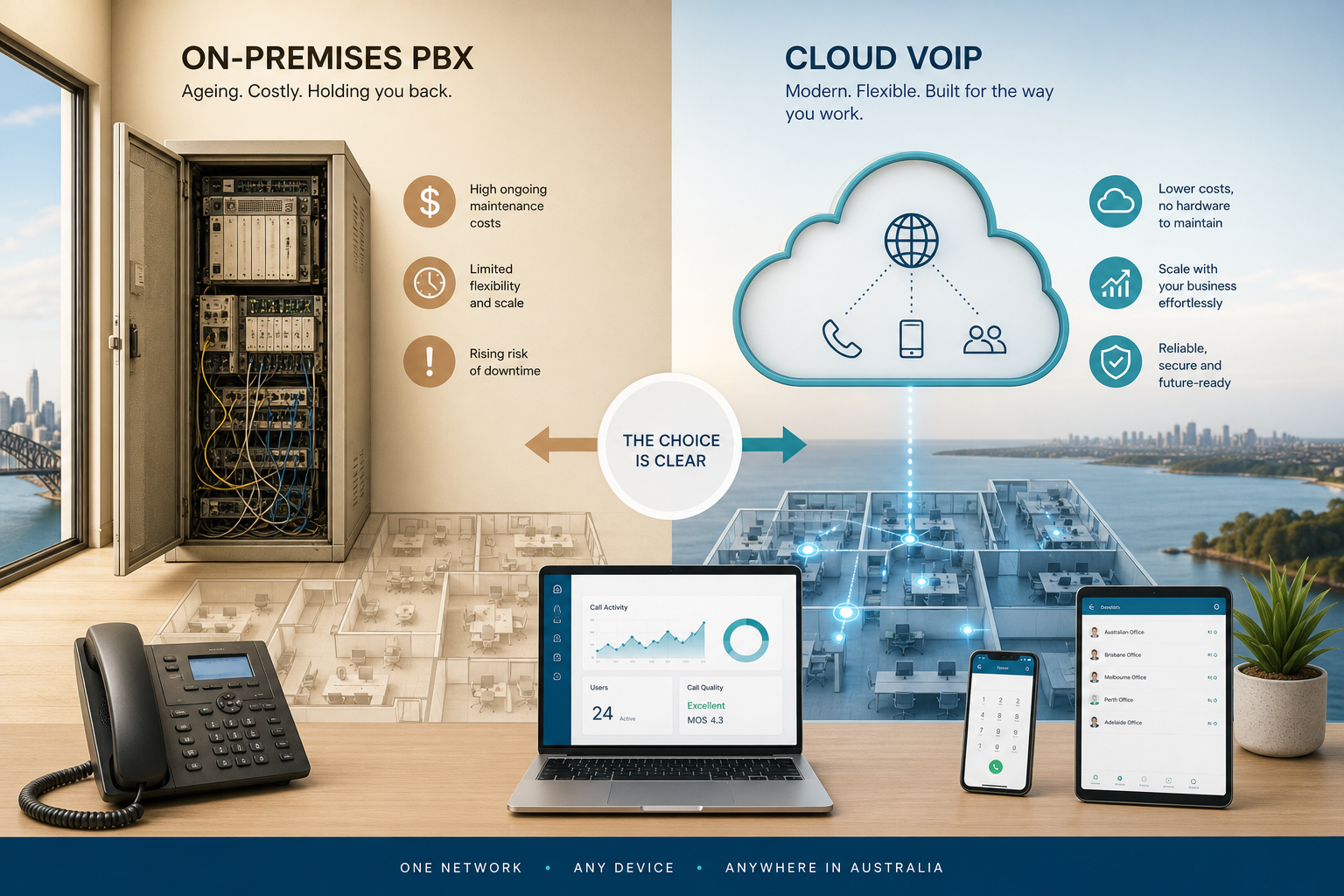
For most Australian businesses, VoIP is the better long-term option because it is easier to scale, supports flexible work and can reduce on-site phone hardware. A traditional PBX can still suit a business with specialised equipment and stable premises.
On this page
The key point is that PBX and VoIP are not direct opposites. A PBX is a business phone system that manages extensions, call routing and features. VoIP is the technology used to carry calls over an internet connection. A cloud PBX uses VoIP, but the phone system itself is hosted off-site.
What is the difference between PBX and VoIP?
A traditional PBX is phone-system hardware located at your premises. VoIP is a way of making and receiving calls using internet protocol instead of traditional phone lines.
A traditional PBX may connect desk phones across your office and route calls through physical lines. It can provide extensions, transfers, hunt groups, voicemail and automated menus.
VoIP can provide the same business functions through software and internet-connected devices. Staff may use desk phones, computers, mobiles or a combination of all three.
The term PABX means private automatic branch exchange. In everyday business use, PBX and PABX generally refer to the same type of business phone system.
Is PBX better than VoIP for a business?
There is no universal winner, but VoIP is usually the better fit for businesses that want flexible working, simpler expansion and less phone equipment on-site. A traditional PBX may be the better fit when your existing system works well and replacing it would create more disruption than value.
| Business requirement | Traditional PBX | VoIP or cloud PBX |
|---|---|---|
| Where the system runs | At your premises | In the cloud or through internet-based services |
| Main infrastructure | PBX hardware, cabling and phone lines | Internet connection, network equipment and compatible devices |
| Adding users | Often requires hardware, licences or cabling changes | Usually managed through software and user settings |
| Remote work | May require extra configuration or forwarding | Usually built into the service through apps or softphones |
| Upfront cost | Often higher because of equipment and installation | Often lower, depending on devices and setup |
| Ongoing responsibility | Your business or IT provider maintains the system | Provider manages much of the platform |
| Call quality | Can be stable on a well-maintained local system | Depends heavily on internet, network and power quality |
| Features | Depends on the age and model of the PBX | Commonly includes call queues, apps, analytics and integrations |
| Best suited to | Fixed offices with established infrastructure | Growing, distributed or hybrid teams |
The table shows the general technology difference. Actual costs and features depend on the system, number of users, handsets, call volumes, internet service and support arrangement.
A useful starting point is to review your existing phone system, internet service and working arrangements together.
That is why the quality of the underlying network matters in either model.
Which is better, PBX or VoIP for a small business?
VoIP is usually the simpler choice for a small business that wants professional phone features without buying and maintaining a large amount of phone hardware. A traditional PBX may still make sense if you have a relatively fixed team, an existing investment in handsets and no immediate need for remote access.
A basic VoIP line may be enough for a very small team with simple call forwarding needs. You do not necessarily need a full cloud PBX just because you want to make calls over the internet.
Do you need a complete phone system, or only an internet-based phone service?
If you need structured call handling, extensions and visibility over incoming calls, look at a cloud VoIP phone system. If you only need one number and straightforward calling, a simpler VoIP service may be enough.
Do you need a PBX for VoIP?
No. You can use VoIP without owning or managing a PBX. You only need a PBX-style system when your business needs features such as extensions, call routing, queues, automated attendants or central administration.
A cloud PBX is one way to deliver VoIP. The provider hosts the phone system, while your business uses internet-connected phones, apps or computers to access it.
| Term | What it describes | Needs on-site PBX hardware? |
|---|---|---|
| VoIP | The technology that carries voice calls over IP networks | No |
| Traditional PBX | An on-site business phone system | Usually yes |
| IP PBX | A PBX that uses IP networks and compatible devices | Not always |
| Cloud PBX | A hosted business phone system accessed online | No |
| Softphone | An app that acts like a business phone | No |
Some businesses use VoIP with a physical IP PBX at their premises. Others use a fully hosted cloud PBX. Both use VoIP, but the location and management of the phone system are different.
The important decision is not whether VoIP includes a PBX. It is whether your business needs the features of a phone system, and where you want that system managed.
Is VoIP cheaper than a traditional PBX?
VoIP can cost less over time, but it is not automatically cheaper in every situation. The total cost includes the service, compatible handsets, network improvements, installation, number porting, support and any integrations.
| Cost area | Traditional PBX | VoIP or cloud PBX |
|---|---|---|
| Initial system | Hardware and installation may create a larger upfront cost | Often subscription-based, but devices and setup still cost money |
| Handsets | May require model-specific phones | Can use IP phones, apps or existing compatible devices |
| Maintenance | Business is responsible for on-site equipment or support fees | Provider usually manages the hosted platform |
| Adding users | May require licences, cards, ports or cabling | Often completed through administration software |
| Internet requirement | Still needed for many modern business services | Essential for normal calling |
| Backup arrangements | May operate locally during some internet faults | Needs a suitable failover plan |
| Upgrade path | May depend on hardware capability | Usually delivered through software and service updates |
A traditional PBX can be cost-effective when it is already installed, paid for and reliable. Replacing it immediately may not produce a worthwhile return if the business has no need for remote work, new features or rapid expansion.
VoIP tends to become more attractive when you are moving premises, replacing ageing hardware, adding staff, opening another location or supporting hybrid work. Ask for the total cost over the expected life of the system rather than comparing only the monthly phone bill.
Is a traditional PBX more reliable than VoIP?
A traditional PBX is not automatically more reliable than VoIP. A well-maintained PBX can be dependable, but it still relies on power, phone lines, hardware, cabling and specialist support. VoIP can be dependable when the internet connection, local network, power and failover arrangements are properly designed.
| Reliability factor | Traditional PBX | VoIP or cloud PBX |
|---|---|---|
| Internet outage | May continue working for some local functions, depending on the setup | Can affect calling unless failover is available |
| Power outage | May stop working unless backed up | Phones, switches, routers and internet equipment may stop working |
| Hardware failure | On-site PBX may require replacement or specialist repair | Hosted platform is off-site, but local devices and connectivity can still fail |
| Office move | Usually requires more physical planning | Users can often be moved through configuration and internet access |
| Remote continuity | May rely on forwarding or extra services | Apps and alternative numbers can support continuity |
| Main risk | Ageing equipment and local points of failure | Internet, network congestion and power dependency |
The largest gap in many VoIP discussions is that internet quality is part of phone-system quality. A fast internet plan alone does not guarantee clear calls. The business network must also handle voice traffic, Wi-Fi and other applications without creating delay or congestion.
A practical setup may include business-grade internet, suitable network equipment, prioritisation for voice traffic, backup connectivity and a power backup for critical equipment. The right design depends on your location, staff numbers and continuity requirements.
That does not remove the need to check service terms, support arrangements and outage processes before choosing a system.
Is cloud PBX the same as VoIP?
Cloud PBX and VoIP are closely related, but they are not the same thing. VoIP describes how calls are carried, while a cloud PBX describes the hosted phone system that manages users, numbers and call features.
The cloud model removes the need for your business to host the main PBX hardware. It does not remove every local requirement. You may still need compatible desk phones, a stable network, power protection and a plan for internet outages.
Cloud PBX is often the most practical middle ground for a business that wants the features of a PBX without owning the server or telephone system at its premises.
When should you keep your traditional PBX?
Keeping your traditional PBX can be sensible when it still meets your needs, is supported and does not restrict the way your business operates. A move is not automatically worthwhile simply because newer technology exists.
For Australian businesses, the migration path also depends on the type of service connected to the existing system. Some business services delivered over copper, including certain legacy services, may require a planned replacement rather than an automatic switch.
For the separate question of whether older PBX technology still has a place, read is PBX outdated in 2026?
What should you choose: PBX or VoIP?
Choose a traditional PBX if your business is office-based, your current system is reliable and you have no strong reason to change. Choose VoIP or a cloud PBX if you want flexible working, easier changes, modern features or less on-site phone infrastructure.
Cloud PBX
A hosted phone system with the full set of business call features.
Suits businesses needing extensions, call routing, mobile access and central administration
VoIP line
Internet calling without the management layer of a phone system.
Suits businesses needing simple internet calling with limited phone-system features
Traditional PBX
Keeping the on-site system you already own and maintain.
Suits a stable office with working hardware and limited change planned
Hybrid migration
Moving services gradually instead of replacing everything at once.
Suits businesses needing to keep some existing equipment during the change
For many Australian businesses weighing PBX vs VoIP, the practical choice is a cloud PBX rather than a basic VoIP line. It delivers the management features people expect from a business phone system without requiring the business to own the central PBX hardware.
The safest approach is to compare your current system with your next three years of needs. Include staff growth, office moves, remote work, internet resilience, handset requirements and support. Do not choose based on the label alone.
PBX vs VoIP frequently asked questions
Is PBX better than VoIP?
A traditional PBX can be better when your business has a stable office, existing equipment and no need for remote access. VoIP is usually better when flexibility, cloud features and easier scaling matter more.
Which is better, PBX or VoIP for a growing business?
VoIP or a cloud PBX is usually the better fit for growth because users, numbers and call rules can often be managed through software. The right result still depends on internet quality, system design and support.
Is VoIP the same as a cloud PBX?
No. VoIP is the technology used to carry calls over IP networks, while a cloud PBX is a hosted phone system that uses VoIP and manages business calling features.
Can you use VoIP without a PBX?
Yes. A basic VoIP service can provide calling without a full PBX. You need a PBX-style platform when you require extensions, queues, automated menus, call routing or central administration.
Not sure which suits you?
Tell us how your team works today and we will tell you which system actually fits.