

On this page
The main PABX system components are the call-processing core, external line connection, internal extensions, network and cabling infrastructure, power equipment, and management software. In a modern system, some components may be physical devices in your office, while others run as software on a server or in the cloud.
A PABX connects incoming and outgoing telephone services with internal users and devices. Its logical functions include registering endpoints, routing calls, managing extensions, handling voicemail and applying rules such as auto-attendant menus or call queues.
The exact hardware depends on whether the system uses analogue lines, digital services, SIP trunks, IP phones, or a hosted platform. The core architecture remains easier to understand when separated into physical components and logical components.
For Australian businesses, Nexgen’s cloud phone system moves the central phone-system functions into a hosted platform, while users can still connect through desk phones, computers, mobiles and other endpoints.
What are the physical components of a PABX system?
The physical components are the devices and connections that carry, convert, power or terminate calls. A traditional installation may include a PABX cabinet, interface cards, phones, cabling, network switches, gateways and backup power.
A cloud-based system may not require an on-site PABX cabinet, but it still relies on physical endpoints, local networking, internet connectivity and electrical power.
What does the PABX cabinet or server do?
The cabinet or server provides the computing platform for an on-premises PABX. It may contain the processor, memory, storage, power supply, expansion modules and interfaces used to manage extensions and external telephone services.
Traditional systems commonly divide their equipment into cabinets and circuit cards. The GlobalSpec reference on legacy PBX common equipment describes cabinets and printed circuit cards as the two broad hardware categories in older systems.
In an IP-based installation, the core may instead be a dedicated appliance, virtual machine or software application running on a general-purpose server. The physical form changes, but the system still needs processing capacity, storage, network connectivity and a reliable power source.
What are PABX line and trunk interfaces?
Line and trunk interfaces connect the internal phone system to an external carrier or telephone service. Depending on the deployment, they may support analogue lines, digital circuits, SIP trunks or another carrier hand-off.
A gateway can translate between different signalling and media formats. For example, an analogue telephone adapter can connect an older analogue device to an IP-based system, while a session border controller can connect an IP phone system to a carrier or another communications platform.
Microsoft’s Direct Routing documentation shows how a session border controller can connect a private branch exchange, analogue devices or other telephony equipment with a cloud calling platform and the public telephone network.
What phones and endpoints connect to a PABX?
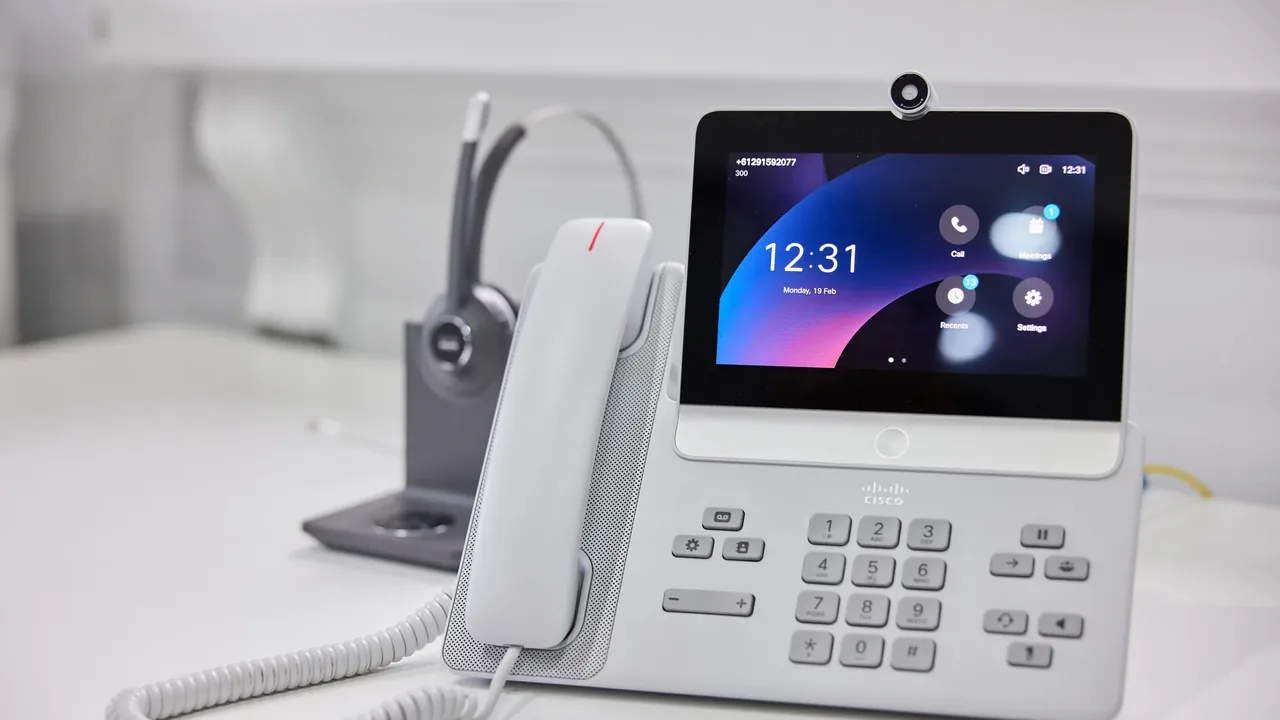
Endpoints are the devices people use to make and receive calls. Common examples include IP desk phones, digital phones, analogue phones, cordless handsets, softphones, mobile applications, conference phones, intercoms and fax equipment.
An IP phone normally connects through Ethernet or Wi-Fi and communicates with the PABX using network protocols. A softphone performs a similar function through software on a computer, tablet or mobile device.
The SIP standard published by the Internet Engineering Task Force in RFC 3261 describes user agents as endpoints that establish, modify and terminate communication sessions. In practical terms, an endpoint is the user-facing device or application that registers with the phone system and participates in calls.
What network equipment does a PABX need?
An IP PABX typically relies on a router, firewall, Ethernet cabling, network switches and, where required, wireless access points. Power-over-Ethernet switches can provide both network connectivity and electrical power to compatible IP phones.
The network equipment should support the number of simultaneous calls, connected devices and locations in the system. A larger deployment may also use separate voice and data networks, traffic prioritisation, redundant links or multiple internet connections.
These components are often overlooked because they are not labelled “phone equipment”. However, a phone can fail to register or produce poor call quality when the network, firewall, power supply or internet connection is unsuitable.
What cabling is used in a PABX system?
Cabling connects the PABX, gateways, phones, switches and external network termination points. Traditional phones may use dedicated voice cabling, while IP phones commonly use structured Ethernet cabling.
In Australia, customer-side telecommunications cabling is covered by technical standards and installation rules. The Australian Communications and Media Authority’s cabling standards guidance identifies AS/CA S008 for customer cabling products and AS/CA S009 for installation requirements.
Businesses should use an appropriately registered cabler for work covered by the Australian cabling rules. ACMA explains that registered cablers can install, repair and maintain phone, internet and data cabling in business premises through its cabling guidance for homes and offices.
Does a PABX need a backup power supply?
A PABX may require an uninterruptible power supply, battery backup or another continuity arrangement. Backup power can keep the system’s core, network equipment, gateways and some connected phones operating during a short power interruption.
The backup requirement depends on the equipment that must remain available. Protecting only the PABX server is not enough if the network switch, router, internet service or phone power supply also shuts down.
For a cloud system, the provider generally operates the central platform, but the customer site still needs power and connectivity for local phones, routers, switches and computers. A mobile application may provide an alternative endpoint if the office network is unavailable and the user has a working mobile connection.
What are the logical components of a PABX system?
The logical components are the software functions and configuration objects that control how calls behave. They include users, extensions, dialling plans, call routes, permissions, voicemail, automated attendants, queues and reporting.
These functions may run together in one appliance or be distributed across several services. The physical server and the logical phone-system functions should therefore be considered separately.
What is the call-processing engine?
The call-processing engine is the central logic that establishes, connects, transfers, holds and ends calls. It decides which endpoint should ring and applies system rules to internal and external calls.
In an IP system, call processing may use SIP signalling. RFC 3261 defines logical SIP roles such as user agents, proxy servers and registrar servers; these roles can be implemented separately or combined within one application.
A small PABX may perform all call-processing tasks in one appliance. A larger or hosted platform may distribute call processing across multiple servers or services for capacity, resilience and geographic coverage.
What are extensions, users and devices?
An extension is an internal address used to reach a person, department, room or device. A user account may have one extension or several registered devices, such as a desk phone, desktop application and mobile application.
The system’s directory links names, numbers, devices and permissions. It may also assign presence information, caller ID settings, voicemail access and individual forwarding rules.
A useful design separates the person from the physical handset. This allows an employee to change devices or work from another location without changing the internal identity used by colleagues and customers.
What is a PABX dial plan?
A dial plan defines how numbers are interpreted and where calls are sent. It can specify internal extension patterns, emergency numbers, local and national dialling, international access, mobile calls and service codes.
The dial plan may also control whether a user is allowed to make certain calls. For example, some extensions may be restricted from international numbers, premium services or particular carrier routes.
Dial plans should be documented before configuration begins. Poorly designed rules can create failed calls, incorrect caller ID, unintended carrier charges or confusing behaviour when users dial familiar numbers.
What are call-routing rules?
Call-routing rules determine what happens when a call enters or leaves the system. They may route calls by number, time, department, caller identity, staff availability, location or business-hours schedule.
Inbound rules can send a number to a receptionist, ring group, queue, auto-attendant or voicemail. Outbound rules can select a carrier, apply number formatting and enforce user permissions.
Nexgen describes intelligent call routing as supporting simultaneous or sequential ringing across multiple extensions. The practical configuration will depend on the selected plan, devices and calling service.
What are auto-attendants, queues and ring groups?
An auto-attendant answers a call and presents menu choices, such as “press 1 for sales”. A ring group sends the call to several users, while a queue places callers in an ordered waiting line until an agent becomes available.
These are separate logical components even when they are configured through the same administration portal. They can be combined into an inbound call flow, such as number → auto-attendant → department queue → voicemail.
The design should reflect how the business actually answers calls. Adding menus without clear ownership can make a phone system harder for customers to use.
What is the voicemail component?
Voicemail records messages when a user or group cannot answer. Its configuration may include greetings, message storage, access codes, transcription, email delivery, retention and notification rules.
Voicemail can be assigned to an individual extension, queue, department or main business number. It may also operate as an overflow destination after a time condition or outside business hours.
Nexgen lists voicemail-to-email as a cloud phone feature that can send voicemail audio or a transcript to an inbox. Availability and retention settings should be checked against the specific service configuration.
What administration and reporting components are included?
Administration tools control users, devices, numbers, routes, permissions, greetings and service settings. Reporting tools may record call detail records, queue activity, missed calls, durations and other operational information.
In an on-premises system, administrators may use a local web interface or management application. In a hosted system, configuration is generally delivered through a provider-managed portal.
Administration access should be restricted to authorised staff. The system should also maintain clear records of number ownership, extension assignments, call routes, administrator accounts and integrations.
Which PABX system components are essential?
The essential components depend on the phone service and endpoint type, but every working system needs a call-control function, a connection to the telephone service, at least one endpoint and a path for signalling and voice media.
The following table separates commonly required components from optional or situation-dependent components.
| Component | Physical, logical or both? | Usually required? | Main purpose |
|---|---|---|---|
| Call-processing platform | Both | Yes | Controls calls, extensions and system behaviour |
| External trunk or carrier connection | Both | Yes for external calls | Connects the business to outside telephone services |
| User endpoint | Physical or software | Yes | Lets a person or device make and receive calls |
| Network switch and router | Physical | Yes for IP systems | Carries signalling and voice traffic |
| Cabling or wireless network | Physical | Usually | Connects endpoints and infrastructure |
| Extension and user records | Logical | Yes | Identifies people, departments and devices |
| Dial plan and call routes | Logical | Yes | Determines how numbers and calls are handled |
| Voicemail | Logical | Optional but common | Stores messages when calls are unanswered |
| Auto-attendant | Logical | Optional | Presents menu-based call handling |
| Call queue | Logical | Optional | Organises callers waiting for an available agent |
| Gateway or SBC | Physical, logical or both | Depends on interconnection | Connects different networks, services or protocols |
| UPS or backup connectivity | Physical | Situation-dependent | Supports continuity during power or network interruptions |
| Call recording and analytics | Logical | Optional | Supports review, reporting and operational analysis |
How do PABX components differ between on-premises and cloud systems?
The biggest difference is where the call-processing platform and management functions operate. An on-premises system places more core equipment at the business site, while a cloud system places the central platform in the provider’s environment.
| Component area | On-premises PABX | Cloud PABX |
|---|---|---|
| Call-processing core | Office appliance, server or virtual machine | Provider-hosted platform |
| External connectivity | Local gateway, trunk or carrier connection | Provider-managed service connection |
| User devices | Desk phones, softphones and other endpoints | Desk phones, softphones, mobile apps and browser tools |
| Local network | Important for all IP phones and internal devices | Still important for office-based endpoints |
| Administration | Customer or managed IT team | Customer portal plus provider operations |
| Expansion | May require hardware, licences or installation | Usually configured through users, licences or service settings |
| Power dependency at the office | Core, network and phones may all depend on site power | Phones and local network still depend on site power |
| Maintenance responsibility | More equipment is maintained on site | More platform maintenance is handled by the provider |
Nexgen describes its hosted cloud phone solution as operating without an on-site PBX box while supporting desk phones, mobiles and desktop devices. That does not remove every physical component: the customer still needs compatible endpoints and a functioning local or mobile connection.
How should a business map its PABX system components?
Start by drawing the call path from the external service to the user. Record every physical device and logical rule that a call passes through, including the carrier connection, firewall, router, switch, PABX platform, extension, ring group, queue and voicemail destination.
Next, create an inventory with the following fields:
For Australian premises, include cabling records and the relevant compliance documentation. ACMA states that a registered cabling provider must provide telecommunications cabling advice after covered work is completed, making this documentation part of a useful system record.
If the business is moving from an office-based installation to a hosted model, the cloud communications service should be assessed as a complete system rather than only as a replacement for the old cabinet. The phones, internet connection, number porting, user accounts, call flows and support arrangements all form part of the operating environment.
What should be checked before choosing PABX components?
Check the number and type of users, external numbers, simultaneous calls, locations, endpoint preferences, existing cabling, internet capacity, emergency calling requirements and administration needs. Then identify which components the business owns, which the provider supplies and which remain the customer’s responsibility.
A practical checklist includes:
For a deeper guide on selecting the right architecture, use. For installation planning, use.
Frequently asked questions about PABX system components
What is the most important component in a PABX system?
The call-processing platform is the central logical component because it controls extensions, call routes and connections between users and external services. A failure in the network, power supply or carrier connection can still prevent the platform from working.
Does a cloud PABX need physical hardware?
A cloud PABX usually does not require an on-site PABX cabinet or call-processing server. It still needs physical or software endpoints, local networking, power and an internet or mobile connection.
Are IP phones part of the PABX?
IP phones are endpoints connected to the PABX rather than the call-processing core itself. They register with the system and provide the interface for users to make and receive calls.
What should be included in a PABX component checklist?
Include the call platform, carrier connection, gateways or SBCs, endpoints, switches, routers, cabling, power, users, extensions, dial plans, call routes and support responsibilities. Add optional functions such as voicemail, auto-attendant, queues, recording and reporting where the business needs them.
Talk to Nexgen about your phone system
Get a like-for-like comparison against a managed cloud phone service.