

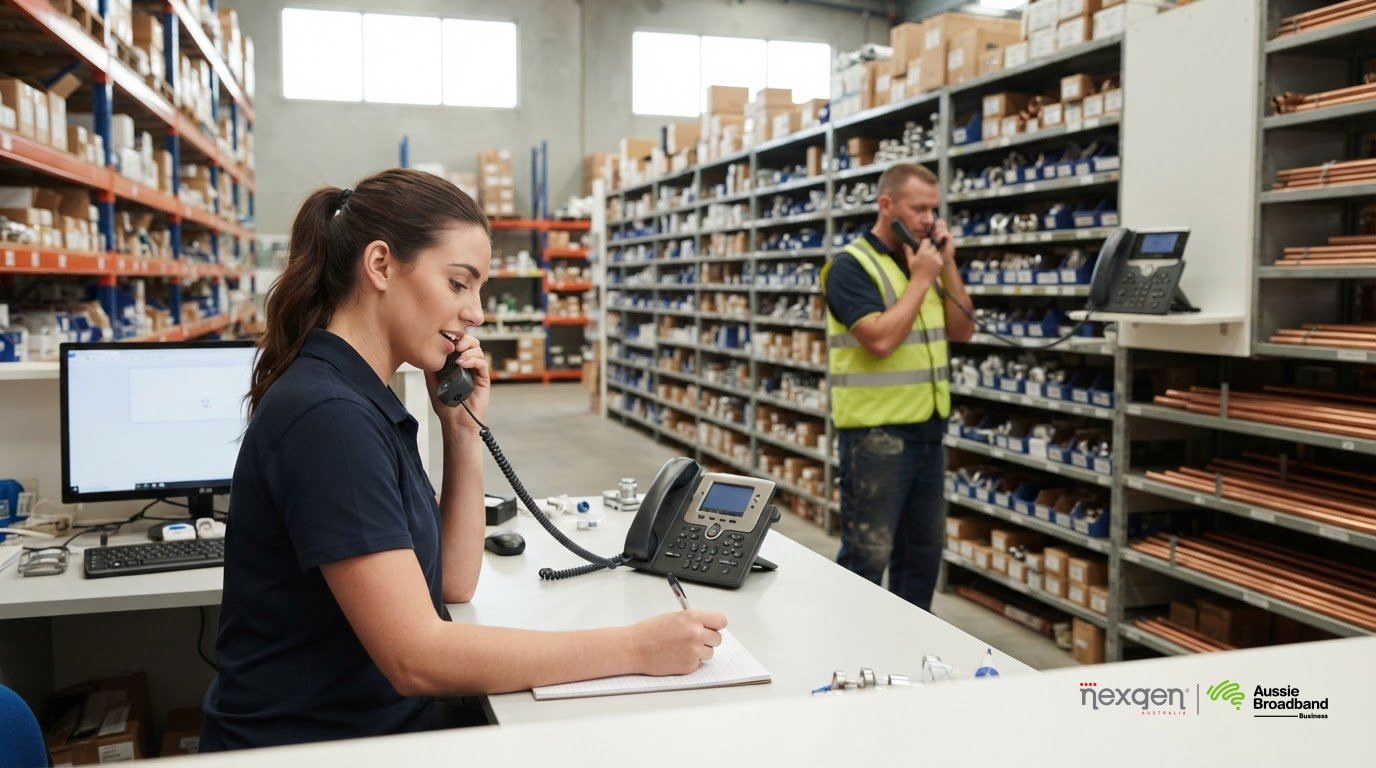
The most automated phone menu isn’t always the best fit for a small business. An auto attendant phone system for a small business greets callers with a recorded menu and directs them to the right person, team or voicemail. It can work alongside reception staff, rather than simply replacing a live answer.
If one or two people handle every call, a simple greeting and ring group may feel more personal. If callers need to reach different teams, an auto attendant can organise calls more clearly, as long as the menu is easy to follow and offers a way to reach a person.
This guide compares auto attendants with other call-routing options, including ring groups, call queues, mobile forwarding and live reception. You’ll learn where each option fits, what to consider when setting up greetings and fallback routes, and how to choose a phone system that suits the way your Australian business handles calls.
Key Takeaways
- Choose between an automated menu, live receptionist or hybrid approach based on how callers need to reach your team.
- Plan separate call routes for business hours, after-hours and holidays so callers know what to expect.
- Keep greetings clear and menus easy to navigate, with a straightforward way to reach a person.
- Match each menu option to the right destination, such as a team, ring group, queue or mobile.
- For a very small team, a simple greeting and ring group may be a more natural fit than a full menu.
What is an auto attendant?
An auto attendant is an automated phone menu that greets callers and routes them to a person, team or voicemail. For a small business, it can organise incoming calls, but a long or confusing menu can frustrate callers.
An auto attendant can direct calls consistently, share basic information and handle calls when reception is busy. Its limitations include less personal interaction and the risk of callers getting stuck without a clear way to reach someone.
These terms can overlap. An auto attendant typically plays a greeting and offers menu choices, while interactive voice response (IVR) may also let callers respond by keypad or speech. “Digital receptionist” is a broader label that can refer to automated menus, virtual receptionist services or AI-based call handling. Exact functions vary by phone system.
For example, an Australian business with a 1300 or 1800 number may receive calls from people who don’t know which employee or team to ask for. A menu can direct them to sales, accounts or support. A basic greeting can also give opening hours or location details, then direct callers to voicemail when nobody is available.
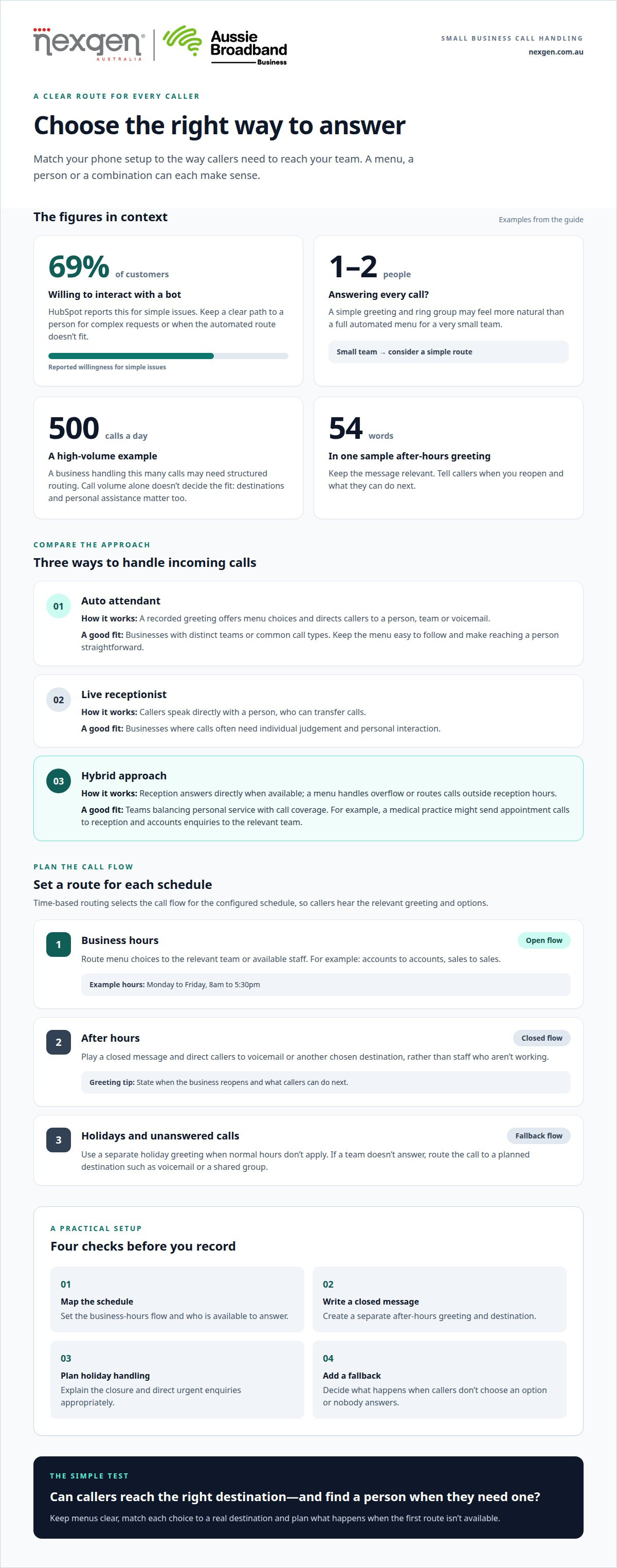
An auto attendant doesn’t have to replace a receptionist. In a hybrid setup, a receptionist answers calls directly when available, while the menu handles overflow or routes callers outside reception hours. For example, a small medical practice might send appointment calls to reception and accounts enquiries to the relevant team.
AI auto attendants may interpret spoken requests or help handle routine enquiries, depending on the system’s capabilities. HubSpot reports that 69% of customers are willing to interact with a bot on simple issues. Even so, callers should have a clear way to reach a person when their request is complex or the automated route doesn’t fit.
| Option | Personal interaction | Call direction | Best suited to |
|---|---|---|---|
| Auto attendant | Limited at first | Menu directs callers to destinations | Businesses with distinct teams or common call types |
| Live receptionist | Direct conversation | Receptionist transfers calls | Businesses where calls often need individual judgement |
| Hybrid | Human help with automated backup | Receptionist and menu share routing | Teams balancing personal service with call coverage |
For a very small business where one or two people answer every call, a simple greeting and ring group may feel friendlier than a menu. At the other end, a business handling 500 calls a day may need structured routing. The call volume alone doesn’t settle the choice; the number of destinations and need for personal assistance matter too.
When comparing an auto attendant phone system for a small business, decide whether callers need a menu, a person or both. Make the option to reach reception easy to find, such as a menu choice that transfers callers directly.
Routing calls during business hours, after hours and holidays
A call flow can use one route while your team is open and another when it’s closed. For example, an Australian business might set its greeting to state that it’s open Monday to Friday, 8am to 5:30pm, then use a separate after-hours message.
Business-hours routing
During business hours, the system routes callers based on their menu choice or the team they need. Someone selecting accounts can be sent to that team, while a caller choosing sales follows a separate route. Unlike after-hours routing, this flow can send calls to staff who are available to answer.
A clear call flow sets out what happens at each step: greeting, menu choice, destination and fallback. If the selected team doesn’t answer, the system can route the call to another destination, such as voicemail or a shared group. A menu choice alone doesn’t ensure someone is available to pick up, so plan this fallback in advance.
After-hours and holiday routing
After-hours routing applies when the business is closed, while holiday routing covers dates when normal opening hours don’t apply. Rather than sending calls to staff who aren’t working, the system can play a closed message and direct callers to voicemail or another chosen destination. Business-hours routing, by contrast, is designed around teams available to answer.
Time-based call routing
Time-based routing automatically selects a call flow according to the schedule configured in the phone system. Callers don’t need to know whether the business is open: the system plays the relevant greeting and offers the menu or destination set for that period. Unlike a menu-only route, the schedule determines which flow applies before callers make a selection.
Menu structure determines what happens next. A single-level menu presents choices such as sales, accounts or reception. A multi-level menu can offer more specific options within a team. Keep every route easy to understand, and include a fallback for callers who don’t select an option or can’t reach their destination.
For a practical setup, map the schedule before recording greetings:
- Set the business-hours flow and the teams or people it reaches.
- Create a separate after-hours message and destination.
- Add holiday handling and a fallback route for unanswered calls.
These choices make the call flow easier to follow and manage. If you’re reviewing how your business phone system handles call routing, start by matching each schedule to the people available to answer.
Setting up greetings, extensions and fallback routing
A useful auto attendant setup pairs a concise greeting with clear destinations and a fallback. Plan the caller’s route before recording the script or assigning extensions.
Greetings and scripts
A greeting introduces your business, explains the menu and tells callers what to do next. Keep it under 20 seconds, use plain language and put the most common request first. For example: “Thanks for calling Harbour Dental. For appointments, press 1. For accounts, press 2. To speak with reception, press 0.” This gives callers direct choices without a long introduction.
Most VoIP systems let you change a greeting by recording it over the phone or uploading an audio file through an admin console or user portal. A sample opening-hours greeting contains 35 words and takes about 10 seconds to deliver. A 45-second greeting, by contrast, is described as annoying and unprofessional. Review the script every six months or after a significant business change.
Extensions and personal transfers
Extensions give callers a direct route to a person or team without requiring reception to transfer every call manually. For example, callers can choose “sales” and then enter an employee’s extension, or select reception to speak with someone. Explain each option before asking callers to enter a number, so they know where it leads.
During setup, match each spoken option to its destination. Check that each extension reaches the right person, and provide a route for callers who don’t know the extension. An option to reach reception or repeat the instructions can make the menu easier to use. Test every selection from the greeting through to its intended destination.
Multi-level menus and fallback routing
A multi-level menu adds another set of choices beneath an initial option. It can suit a business with four or more departments or product lines, such as a supplier separating sales enquiries into different product categories. Businesses with one to three departments may find a single-level menu easier to manage; a simple setup is suggested to take 15 minutes.
Fallback routing determines what happens when callers don’t choose an option, an extension doesn’t answer or a destination is unavailable. Calls can be sent to reception, a shared team destination or voicemail. Explain the fallback in the greeting so callers aren’t left wondering whether to stay on the line.
Before activating the menu, map and test each route:
- Write the greeting, then confirm every option names its destination.
- Test each extension and personal transfer from the caller’s perspective.
- Test unanswered calls, missed selections and the repeat-menu option.
- Allow five minutes to plan the call flow; planning can prevent thirty minutes spent undoing misconfigured settings.
Connecting menu options to teams, queues, ring groups and mobiles
Each menu option should lead somewhere useful, not to a dead end. For example, callers choosing billing could reach the accounts team, a shared ring group or voicemail if nobody answers.
Common problems include too many choices, unclear labels and routes that don’t reach a person. Keep the menu short, put the most common option first, let callers repeat the choices and provide a human fallback.
Connect each option to the destination that suits the work. A ring group makes several team members’ phones ring, while a queue holds calls for the next available person. Routing technical support calls to a queue can organise incoming enquiries; sending a caller to one employee’s extension may suit a specific account manager.
Mobile routing can extend a call flow beyond the office. A menu option may send a call to a mobile app on the phone system or forward it to an external mobile number. For example, a building services business could route urgent maintenance calls to its on-call team’s mobile, while general enquiries go to reception. Set a fallback in case nobody answers the mobile route.
Menu length matters. Recommendations range from 3-5 options to no more than four, so a practical approach is to keep the first menu to three or four clear choices. Put the most common option first, and let callers repeat the menu. Limit the full structure to 2 to 3 levels; deeper menus can make it harder to reach the right team.
Labels should reflect what callers need, rather than internal team names. “Accounts and billing” is clearer than “Finance”, for example, if callers are trying to pay an invoice. HubSpot reports that 54% of customers say automated systems take too long and ask too many questions before connecting them to a human. A direct route to reception or a relevant team helps avoid unnecessary steps.
Language options also affect how easily callers can use a menu. If your business serves people who prefer different languages, make the language selection clear near the start. Keep the choices and destinations consistent in each version, including the human fallback and voicemail route.
- Match each option to a team, queue, ring group, extension or mobile destination.
- Use plain labels such as “sales”, “accounts” or “support”.
- Check that voicemail or a person remains available when the first route can’t answer.
- Test every menu selection, repeat option and mobile route from a caller’s perspective.
A well-connected menu gives callers a clear next step. Someone choosing billing should reach accounts, not return to the opening menu or wait without direction.
Small business phone system comparisons
There’s no single best call-handling setup for every Australian small business. Compare who answers, how calls are routed, expected call volume and what happens when the first destination is unavailable.
For accessibility, use clear spoken menu choices and offer a way to reach a person. For privacy, avoid asking callers to share sensitive details in a public menu or recorded message. Route those enquiries to an appropriate staff member.
| Option | Who handles calls? | Routing approach | Best fit |
|---|---|---|---|
| Greeting and ring group | One or more team members | Phones ring together | Very small teams sharing calls |
| Auto attendant | Automated menu, then staff | Callers select a destination | Several teams or enquiry types |
| Call queue | Available team members | Calls wait for an answer | Teams handling a steady call flow |
| Live receptionist | A person | Receptionist directs or transfers calls | Enquiries needing personal judgement |
| Hybrid reception | Receptionist and automated menu | Menu supports or backs up reception | Businesses combining personal service and structured routing |
| Virtual receptionist | Remote reception service | Calls are answered and directed remotely | Businesses wanting a human answer without relying solely on onsite reception |
A simple greeting and ring group can suit a business where one or two people answer all calls. It avoids menu steps, but callers may not be able to reach a particular department directly. An auto attendant gives callers choices, while a queue organises calls for a team to answer. These options can help when call volume or team responsibilities make shared call handling less straightforward.
Live reception offers direct conversation and can interpret less common requests, but depends on someone being available to answer. A hybrid arrangement combines human support with automated routing during busy periods or closed hours. A virtual receptionist also provides a human response, remotely rather than from your office.
When comparing business phone systems, consider how each handles missed calls, transfers, voicemail, schedule changes and growth. Business VoIP platforms commonly include an auto attendant as part of the system rather than charging extra for the feature. Assess the complete phone system, not just the menu: destinations should match your teams, with a fallback for when nobody answers.
- Choose a greeting and ring group when a small team shares incoming calls.
- Choose a menu when callers need to select a department or enquiry type.
- Consider a queue when a team needs to manage calls awaiting an answer.
- Use live or hybrid reception when callers often need human judgement.
Match the system to your call volume, staffing and callers’ needs, rather than choosing the most automated option by default. Talk to Nexgen about a phone system for your business and the call-handling approach that suits your team.
Nexgen Australia
Nexgen Australia can help match your call-handling needs with a suitable business phone system. If callers need clear routes to different teams, or staff need calls to reach them across office and mobile locations, consider how an auto attendant, ring group and fallback route can work together.
Nexgen’s Small Business Phone Systems, Small Business VoIP Solutions, Office Phone Systems and VoIP Phone Systems give Australian businesses options as their teams and calling needs change. The right choice depends on your call flow, who answers enquiries and how callers can reach a person when their first choice is unavailable.
Contact Nexgen Australia to discuss a phone system for your business and its call-routing needs.
Keep your call flow ready for what’s next
Your call-handling setup should keep pace with changes in how your business operates. A new team, changes in staff availability or a different mix of customer enquiries can all affect the routes callers need. Treat the call flow as part of your operations, and review it whenever changes affect who answers or where enquiries belong.
When considering an auto attendant phone system for a small business, focus on how callers move from their first choice to a useful outcome. Choose an arrangement your team can manage and callers can understand, without adding steps that serve neither group.
If you’re ready to plan a phone system around your business’s call-handling needs, start a conversation with Nexgen Australia. A clear next step can help you make a considered decision and build a call flow that supports the way your business works.
Frequently Asked Questions
Does setting this up require an IT person?
Which Australian business phone providers offer auto attendant features?
Auto attendant features are available through Australian business phone providers offering VoIP and cloud phone systems. Nexgen Australia provides business phone systems and VoIP solutions for Australian businesses. When comparing systems, consider how the complete service fits your existing communications and who will manage changes. The menu is only one part of the phone system your team will use.
How much does an auto attendant phone system cost in Australia?
There isn’t one standard cost for an Australian business phone system with an auto attendant. The total depends on the system type, number of users, handsets, calling arrangements and any included setup or support. Some VoIP platforms include auto attendant functionality within the broader phone service. Compare what’s included in the overall system rather than treating the menu as a separate product with a universal price.
How do cloud-based auto attendants compare with on-premises phone systems?
A cloud-based system is hosted and administered through an online service, while an on-premises system relies on phone equipment at your workplace. Cloud systems can suit businesses with staff working across locations; on-premises setups may suit organisations that prefer to manage equipment locally. Compare maintenance responsibilities, how changes are made and how each system fits your current phone environment.
How can a business tell it has outgrown its current phone setup?
Signs your phone setup may need a review include staff regularly transferring calls manually, customers reaching the wrong team or call handling becoming difficult as roles change. A business may also need a different arrangement when it adds departments, opens new ways for customers to enquire or supports more remote staff. Review why callers get in touch and how your team handles each type of enquiry to see whether the current setup still fits.
Can a business keep its existing desk phones when changing systems?
Sometimes, but compatibility depends on the phone models and the requirements of the new system. Before planning a change, list the handsets your team uses, including shared or specialist phones, and identify how each connects. This helps establish whether existing equipment can remain part of the setup or whether different devices are needed. Desk phone compatibility is separate from the auto attendant’s call flow.